















APPLE MAC MINI M4 — 2024
Looks Small.
Lives Large.
M4 chip · 24GB RAM · 512GB SSD · Thunderbolt 4 · Front USB-C · Apple Intelligence · 5×5 inches
✨ Why the Mac mini M4 Is a Game Changer
|
⚡
M4 Chip — 10-Core CPU, 10-Core GPU, 120GB/s — Fastest Mac mini Ever Built The M4 chip in the Mac mini is Apple's most advanced chip ever in a desktop at this price point. With 4 performance cores running at 4.4GHz and 6 efficiency cores, it delivers up to 1.8× faster CPU performance than the M2 Mac mini it replaces. The 10-core GPU is up to 2.2× faster for graphics-intensive tasks. And with 120GB/s of unified memory bandwidth — 20GB/s more than M2 — every task from Lightroom exports to Final Cut renders to Xcode compiles runs dramatically faster. For the price, no Windows desktop computer comes close to the performance per watt the M4 Mac mini delivers. |
📏
Smallest Mac mini Ever — 127×127×50mm, 0.67kg, Fits Under Any Monitor The 2024 Mac mini is the smallest Mac mini Apple has ever made — a perfect 5-by-5-inch square footprint at just 2 inches tall, weighing a mere 0.67kg. It is smaller than a standard hardcover book, yet it contains a full desktop computer that outperforms machines three times its price. It sits perfectly under your monitor, tucks away neatly on a shelf, or travels easily in a bag. In a Dhaka office or home where desk space is at a premium, the Mac mini M4 gives you all the desktop power you need without giving up any physical space. |
|
🔌
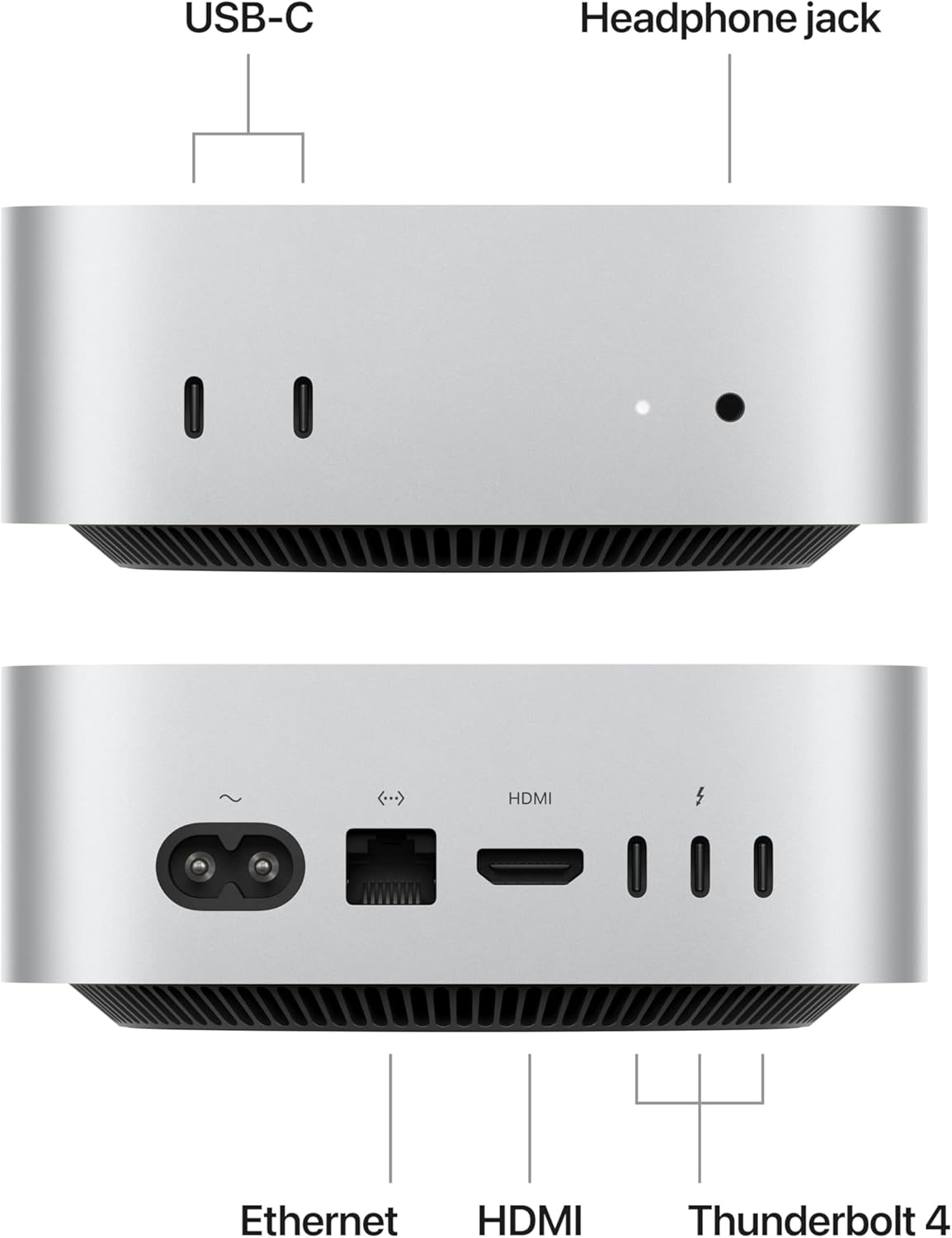
First-Ever Front USB-C Ports + Headphone Jack — Connectivity Reimagined For the first time in Mac mini history, Apple added two USB-C ports (10Gb/s) and a 3.5mm headphone jack to the front of the machine — so you can plug in a flash drive, connect a camera, or plug in headphones without reaching around to the back. The rear panel is equally generous: three Thunderbolt 4 ports (up to 40Gb/s each), HDMI 2.1, two USB-A ports, Gigabit Ethernet, and the power connector. In total, you have five USB-C style ports on this machine — more than enough for any professional desk setup without a hub. |
🖥️
Dual Display Support — Up to 6K via Thunderbolt + Up to 8K or 4K@240Hz via HDMI The Mac mini M4 supports two external displays simultaneously. Connect a 6K Pro Display XDR or a 4K monitor via Thunderbolt 4, and your second display via HDMI 2.1 — which supports up to 8K at 60Hz or 4K at a silky-smooth 240Hz for gaming. For designers, developers, and anyone who works across multiple windows, a dual-monitor setup with the Mac mini dramatically increases your productivity. You supply the monitors and the Mac mini powers them all — no graphics card upgrade needed, ever. |
|
🤖
Apple Intelligence + 24GB RAM — The Mac mini That Thinks Ahead of You With 24GB of unified memory, the MCYT4ZP/A Mac mini fully supports Apple Intelligence — Apple's on-device AI system that rewrites text, generates images, summarises notifications, and powers Smart Reply in Mail. It also handles heavy multitasking without breaking a sweat: run Xcode, Figma, a Docker container, and Safari with 30 tabs open simultaneously. 24GB is the right amount of RAM for developers, designers, and power users who keep a lot of applications open. The 16GB model is great for everyday use, but if you push your machine, 24GB is the smart choice for the next five years. |
📱
iPhone Mirroring + Continuity — Your Mac and iPhone Work as One macOS Sequoia's iPhone Mirroring lets you view and interact with your iPhone directly on your Mac mini screen — run apps, reply to notifications, and drag files between iPhone and Mac without ever touching your phone. Universal Clipboard means you can copy text on your iPhone and paste it directly on your Mac mini. AirDrop, Handoff, Sidecar, and iCloud sync all work seamlessly. If you use an iPhone in Bangladesh, the Mac mini turns your desk into a command centre where both devices work as a single, unified system. |
⚡ Mac mini M4 — Performance at a Glance
| 1.8× faster CPU than M2 Mac mini |
2.2× faster GPU than M2 |
120GB/s unified memory bandwidth |
0.67kg lightest Mac mini ever |
🔧 Full Technical Specifications — MCYT4ZP/A
| Chip & Performance | |
|---|---|
| Chip | Apple M4 (3nm second-generation) |
| CPU | 10-core (4 performance + 6 efficiency) · 4.4GHz peak performance cores |
| GPU | 10-core GPU |
| Neural Engine | 16-core · 38 TOPS |
| Memory Bandwidth | 120 GB/s (LPDDR5X) |
| Apple Intelligence | ✅ Fully supported — 24GB RAM exceeds the 8GB minimum |
| Memory & Storage | |
|---|---|
| Unified Memory | 24GB (this variant) · configurable to 32GB at time of purchase |
| SSD Storage | 512GB (this variant) · configurable to 1TB or 2TB at purchase |
| Upgradeable? | ⚠️ RAM is not user-upgradeable. Choose carefully at purchase. |
| Ports — Front | |
|---|---|
| USB-C (front) | 2× USB-C · up to 10Gb/s · new — first time on Mac mini |
| Headphone Jack (front) | 3.5mm · supports high-impedance headphones · new — first time on Mac mini |
| Ports — Rear | |
|---|---|
| Thunderbolt 4 (rear) | 3× Thunderbolt 4 (USB-C) · up to 40Gb/s · DisplayPort · USB4 |
| HDMI (rear) | 1× HDMI 2.1 · up to 8K@60Hz or 4K@240Hz |
| USB-A (rear) | 2× USB-A · USB 3.2 Gen 2 · up to 10Gb/s |
| Ethernet (rear) | Gigabit Ethernet · configurable to 10Gb Ethernet (Nbase-T) |
| Wireless & Display | |
|---|---|
| Wi-Fi | Wi-Fi 6E (802.11ax) · 2.4GHz, 5GHz, 6GHz |
| Bluetooth | Bluetooth 5.3 |
| External Displays | Up to 2 simultaneous displays: 1× up to 6K@60Hz (Thunderbolt) + 1× up to 8K@60Hz or 4K@240Hz (Thunderbolt or HDMI) |
| Design & Physical | |
|---|---|
| Dimensions | 127.0 × 127.0 × 50.0 mm (5.0 × 5.0 × 2.0 inches) |
| Weight | 0.67 kg (1.5 lbs) |
| Colour | Silver (only colour — one option for all configs) |
| Power Supply | External 150W AC adapter (included) |
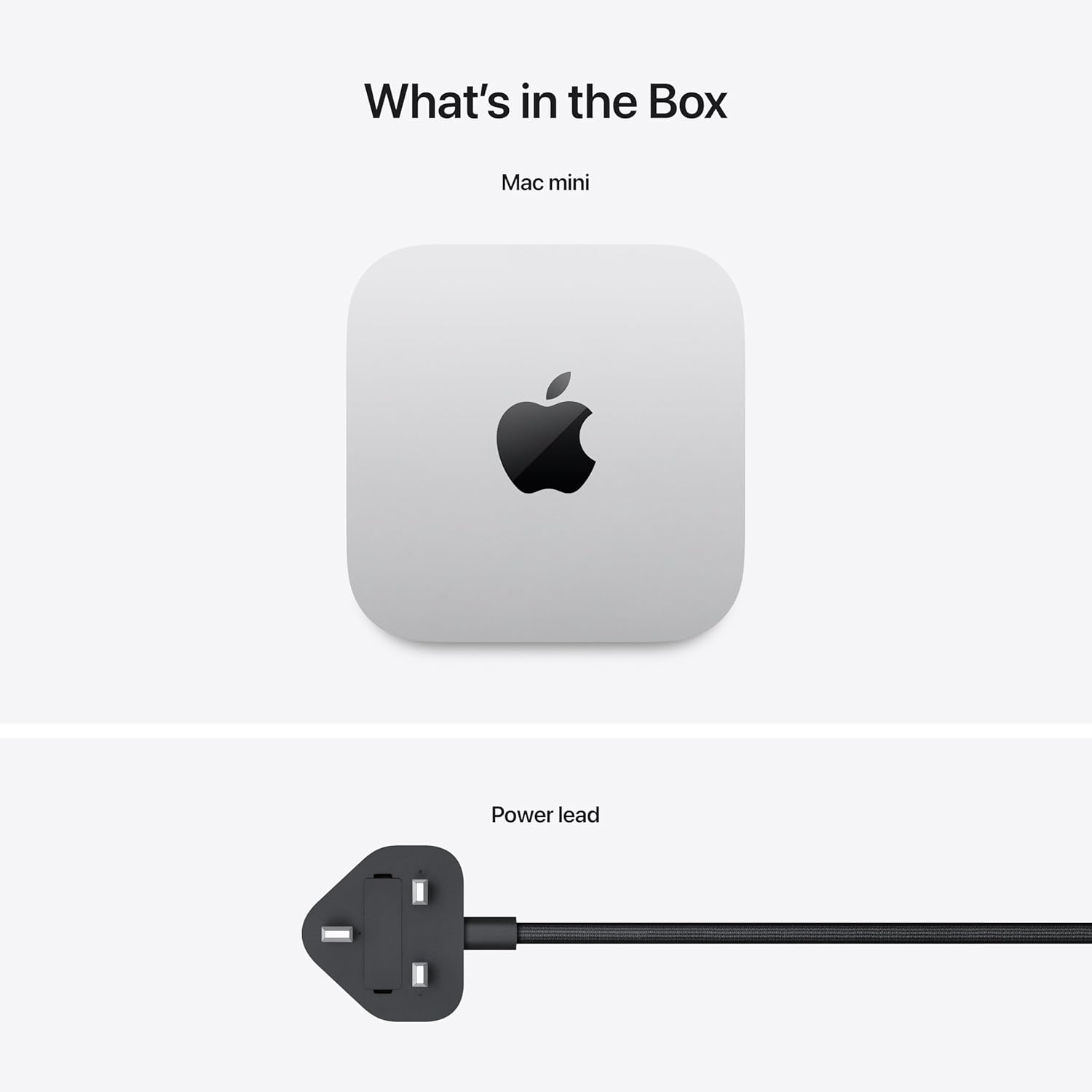
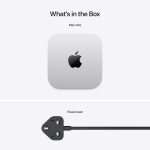
| In the Box | Mac mini · power lead only. No monitor, keyboard, mouse, or cables included. |
| Operating System | macOS Sequoia (upgradeable to macOS Tahoe) |
| Released | November 8, 2024 |
| SKU | MCYT4ZP/A (Asia Pacific) · MCYT4LL/A (US) |
📊 Mac mini M4 vs Mac mini M2 — What Actually Changed?
| Feature | Mac mini M4 (2024) ✦ New | Mac mini M2 (2023) |
|---|---|---|
| Chip | M4 — 3nm Gen 2 · 1.8× faster CPU 🏆 | M2 — 5nm |
| GPU | 10-core · 2.2× faster 🏆 | 10-core |
| Memory Bandwidth | 120 GB/s 🏆 | 100 GB/s |
| Front Ports | 2× USB-C + 3.5mm jack — NEW 🏆 | None — rear only |
| Size | 127×127×50mm — smaller 🏆 | 197×197×36mm |
| Apple Intelligence | ✅ Full support (24GB variant) | ❌ Not supported |
| Display Support | 2 displays · up to 6K + 8K/4K@240Hz 🏆 | 2 displays · up to 6K + 6K |
| Thunderbolt | Thunderbolt 4 (40Gb/s) | Thunderbolt 4 (40Gb/s) |
| Verdict | 🏆 Significant upgrade on every front — worth every taka | Good value if discounted heavily |
🎯 Is the Mac mini M4 (24GB/512GB) Right for You?
|
✅ Get this Mac mini M4 If... ✓ You already have a good monitor and just need the computer ✓ You are a developer, designer, or video editor who needs sustained performance at a desk ✓ You want Apple Intelligence — Writing Tools, Siri upgrades, Image Clean Up ✓ You run Docker, Xcode, virtual machines, or multiple pro apps simultaneously ✓ You want the most powerful Mac per taka without paying MacBook Pro prices ✓ You want dual monitor support for a multi-screen desk setup ✓ You want a future-proof machine that will still feel fast in 2028 and beyond |
🤔 Consider Something Else If... → You need portability — the Mac mini is desktop-only. Look at MacBook Air M5. → You do not have a monitor — you will need to add one to your budget → Budget is tight — the 16GB / 256GB Mac mini M4 costs significantly less and handles everyday tasks just as well → You do extreme workloads — 3D rendering farms, 8K post-production, ML training — consider Mac Studio M4 Max → You want everything in one unit — consider the iMac 24-inch M4 for a built-in 4.5K display Not sure? Call +8801714039409 — we'll guide you to the right Mac. |
📊 Mac Price List in Bangladesh 2024/2025
Current Mac prices at Gadget BD — call for the latest confirmed figures.
| Mac Model | Chip | RAM / Storage | Link |
|---|---|---|---|
| Mac mini M4 YOU ARE HERE | M4 | 24GB / 512GB | View → |
| Mac mini M4 (16GB) | M4 | 16GB / 256GB or 512GB | View → |
| iMac 24" M4 | M4 | 16–24GB / 256GB–2TB | View → |
| MacBook Air 13" M5 | M5 | 16–32GB / 512GB–4TB | View → |
| MacBook Pro 14" M5 | M5 | 16–32GB / 512GB–4TB | View → |
| Mac Studio M4 Max | M4 Max / M4 Ultra | 36GB+ / 512GB+ | View → |
Prices updated regularly. Call +8801714039409 for the latest Mac mini M4 price in Bangladesh. Browse all Mac minis at Gadget BD →
TRUSTED SINCE 2013
🇧🇩 Why Buy from Gadget BD?
Bangladesh's most trusted Apple retailer — two showroom floors at Bashundhara City, Dhaka. Over a decade of helping customers get the right Mac for their work.
|
🏪
Physical Showroom |
✅
Genuine Products |
🚚
Nationwide Delivery |
💳
EMI Available |
❓ Mac mini M4 — Frequently Asked Questions
Q1. What is the Mac mini M4 price in Bangladesh?
The Mac mini M4 starts at BDT 69,900 for the 16GB / 256GB base model in Bangladesh. The 24GB / 512GB variant starts at BDT 135,500. For the exact, up-to-date price, call Gadget BD at +8801714039409 or visit our Bashundhara City showroom.
Q2. Does the Mac mini M4 come with a monitor, keyboard, or mouse?
No. The Mac mini includes only the computer unit and a power lead. No display, keyboard, mouse, or cable is included. You will need to supply your own monitor (via Thunderbolt 4 or HDMI), keyboard, and mouse. We can advise on compatible monitor options — call us for bundle recommendations.
Q3. Should I choose 16GB or 24GB RAM?
16GB is excellent for everyday Mac users — web browsing, Office, email, Zoom, Lightroom, light video editing, and coding. Choose 24GB if you run Docker containers, multiple virtual machines, heavy Xcode projects, or professional creative software like DaVinci Resolve or Blender simultaneously. The 24GB variant (this product) also enables the full Apple Intelligence feature set and is the better choice if you plan to keep the machine for 5+ years.
Q4. What monitors can I connect to the Mac mini M4?
The Mac mini M4 supports up to two displays simultaneously. You can connect any monitor with a Thunderbolt 4 / USB-C or HDMI port. Via Thunderbolt 4, it supports displays up to 6K at 60Hz. Via HDMI 2.1, it supports up to 8K at 60Hz or 4K at an ultra-smooth 240Hz (great for gaming). Most standard 4K monitors available in Bangladesh connect directly via HDMI or USB-C and work immediately without any adapters.
Q5. What is the difference between Mac mini M4 and Mac mini M4 Pro?
The M4 model (this product) has a 10-core CPU, 10-core GPU, supports up to 32GB RAM, and uses Thunderbolt 4 (40Gb/s) on the rear. It supports 2 external displays. The M4 Pro model has a 12 or 14-core CPU, 20-core GPU, supports up to 64GB RAM, uses faster Thunderbolt 5 (120Gb/s) on the rear, and supports 3 external displays simultaneously. The M4 Pro is for serious video editors, 3D artists, and developers with very heavy workloads. For most professionals, the M4 24GB is the sweet spot.
Q6. Mac mini M4 vs iMac M4 — which should I buy?
The Mac mini M4 is for users who already have a good monitor, or who want flexibility to choose their own display, keyboard, and mouse. The iMac M4 is an all-in-one that includes a beautiful 4.5K display, Magic Keyboard, and Magic Mouse in one unit. If you value desk cleanliness, simplicity, and do not want to source separate components, the iMac is the more complete package. If you want to use your existing monitor or choose a different display, the Mac mini offers better value per taka of raw compute power.
Q7. Is the Mac mini M4 good for software development in Bangladesh?
The Mac mini M4 (24GB variant) is arguably the best value developer machine in the world right now. It runs macOS natively for iOS/macOS development, handles Docker and container workloads exceptionally well, compiles large codebases faster than most competing machines, and supports a dual-monitor setup for maximum screen real estate. Many developers at Bangladeshi tech companies and startups are choosing it as their primary workstation. At its price point, nothing comes close to its performance-per-taka ratio.
🇧🇩 Mac mini M4 সম্পর্কে বাংলায় সাধারণ প্রশ্নের উত্তর
প্রশ্ন ১: বাংলাদেশে Mac mini M4 এর দাম কত?
Mac mini M4 (24GB/512GB) এর বাংলাদেশে দাম ইম্পোর্ট শুল্ক ও ট্যাক্সের কারণে আন্তর্জাতিক দামের চেয়ে বেশি। সর্বশেষ আপডেটেড দাম জানতে গ্যাজেট বিডিতে কল করুন +8801714039409 অথবা বসুন্ধরা সিটি শোরুমে সরাসরি আসুন।
প্রশ্ন ২: Mac mini M4 কি সফটওয়্যার ডেভেলপারদের জন্য ভালো?
হ্যাঁ, Mac mini M4 (24GB) বাংলাদেশের সফটওয়্যার ডেভেলপারদের জন্য অত্যন্ত উপযুক্ত। Xcode, Docker, VS Code, Android Studio — সব কিছু অত্যন্ত দ্রুত চলে। দাম অনুযায়ী পারফরম্যান্স অতুলনীয়। ডুয়াল মনিটর সাপোর্ট এবং ১২০GB/s মেমরি ব্যান্ডউইথ হেভি কাজের জন্য পারফেক্ট।
প্রশ্ন ৩: Mac mini M4 এর সাথে কি মনিটর, কীবোর্ড এবং মাউস পাওয়া যায়?
না। Mac mini M4 এর বাক্সে শুধু কম্পিউটার ইউনিট এবং পাওয়ার কেবল থাকে। মনিটর, কীবোর্ড এবং মাউস আলাদাভাবে কিনতে হবে। কোন মনিটর ভালো হবে সেটা নিয়ে পরামর্শের জন্য আমাদের কল করুন।
প্রশ্ন ৪: Mac mini M4 নাকি iMac M4 — কোনটি নেওয়া উচিত?
যদি আপনার কাছে ইতিমধ্যে ভালো মনিটর থাকে অথবা নিজের পছন্দমতো মনিটর বেছে নিতে চান, তাহলে Mac mini M4 নিন — এতে খরচ কম এবং পারফরম্যান্স বেশি পাবেন। আর যদি সব কিছু একসাথে এক বাক্সে পেতে চান, তাহলে iMac M4 নিন।
প্রশ্ন ৫: গ্যাজেট বিডি থেকে Mac mini কিনলে কী ওয়ারেন্টি পাওয়া যায়?
গ্যাজেট বিডি থেকে কেনা সমস্ত Apple পণ্যে অফিসিয়াল ১ বছরের Apple ওয়ারেন্টি পাওয়া যায়। পেমেন্ট করা যায় bKash, Nagad, ক্রেডিট কার্ড, ক্যাশ এবং ব্যাংক EMI-তে। বসুন্ধরা সিটি, লেভেল ৫ ও ৬, শপ নম্বর #84 ও #115।