















📦 Available Configurations
All base configurations start with 16GB unified memory. Step up to 24GB or 32GB for the most demanding professional workflows. All include the M5 chip with 10-core CPU and 10-core GPU.
Chip
Memory
Storage
Colour
⚠️ SKU note: The base Model 16GB / 512GB configuration. Memory and storage are not upgradeable after purchase — configure carefully at the time of ordering. Call +8801714039409 to order any specific configuration.
🔑 What Makes the MacBook Pro M5 Different?
|
🖥️
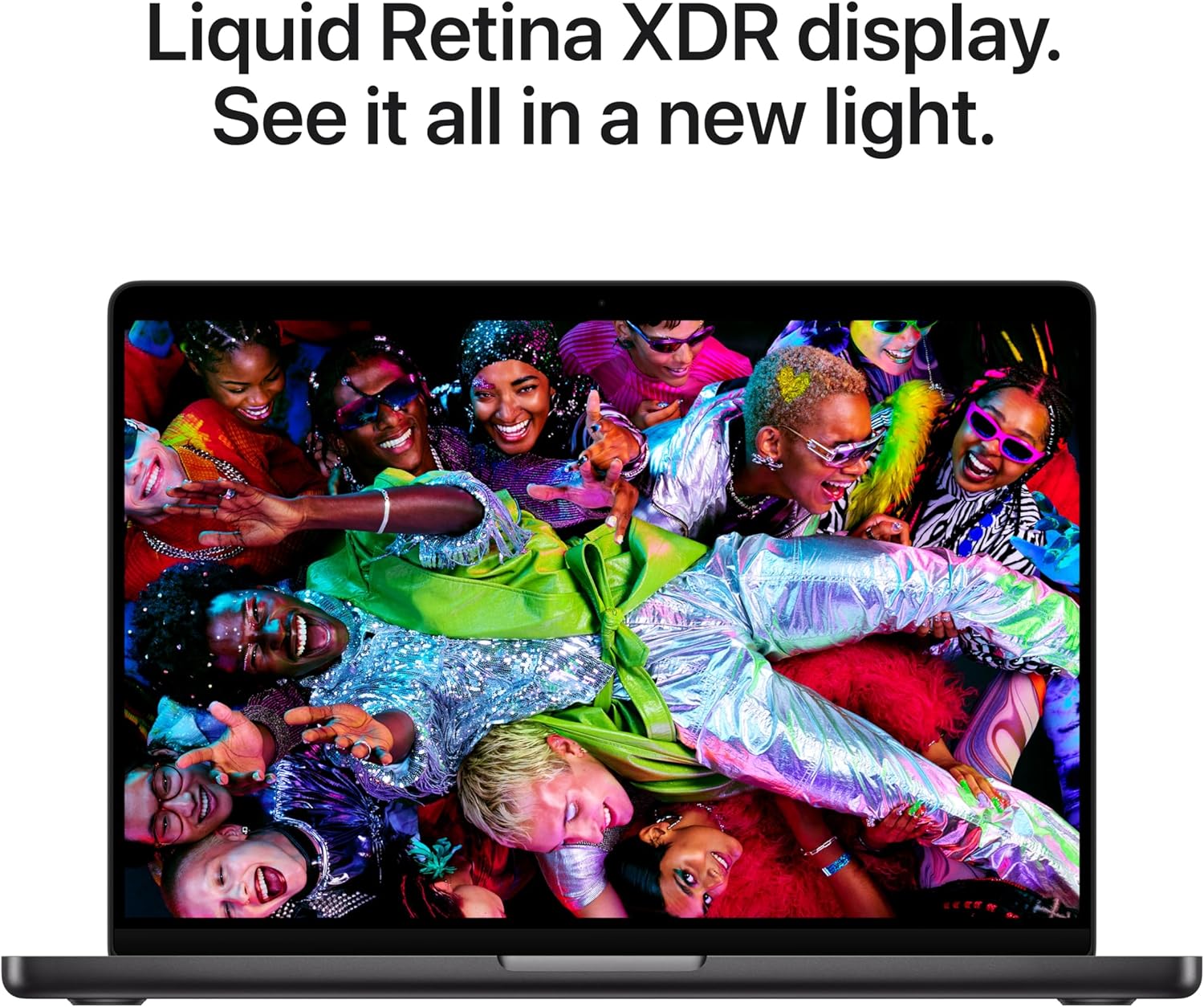
14.2-inch Liquid Retina XDR — 1600 nits Peak, ProMotion 120Hz, 1,000,000:1 Contrast This is not the same display as on MacBook Air. The Liquid Retina XDR is Apple's best laptop display — full stop. It hits 1600 nits peak brightness with HDR content, which means highlights in photos and videos genuinely pop in a way that 500-nit screens simply cannot match. The 1,000,000:1 contrast ratio makes blacks look completely black, not grey. ProMotion 120Hz adaptive refresh makes scrolling and animation feel noticeably smoother. And the optional nano-texture glass virtually eliminates reflections in bright environments. This is a display that creative professionals rely on for colour-critical work. |
⚡
Apple M5 Chip — 3.5× Faster AI, 1.6× Faster GPU, Neural Accelerator Per Core The M5 is a meaningful leap forward. Apple built a Neural Accelerator into every GPU core — not just the Neural Engine — delivering up to 3.5× faster AI performance than M4 for tasks like running diffusion models or large language models locally. GPU performance overall is up to 1.6× faster, and third-generation hardware ray tracing makes games look dramatically better. The 16-core Neural Engine and faster CPU mean every task from launching Xcode to exporting a Final Cut timeline is quicker. When compared to Intel MacBook Pros, the difference is 86× in AI performance and 30× in GPU ray-tracing — numbers that are hard to comprehend until you use it. |
|
🔋
24 Hours of Battery Life — Same Performance on Battery as on Mains Power The headline battery claim from Apple is 24 hours — and while real-world usage naturally varies, independent reviewers consistently hit 18+ hours under mixed workloads. What makes MacBook Pro exceptional here is the other half of that sentence: it delivers the same performance whether plugged in or running on battery. Many Windows laptops throttle their CPU and GPU on battery power. The MacBook Pro M5 does not — you get the same speed whether you are in a coffee shop or at your desk. Fast-charge via a 96W or higher USB-C adapter takes it from flat to 50% in around 30 minutes. |
🔌
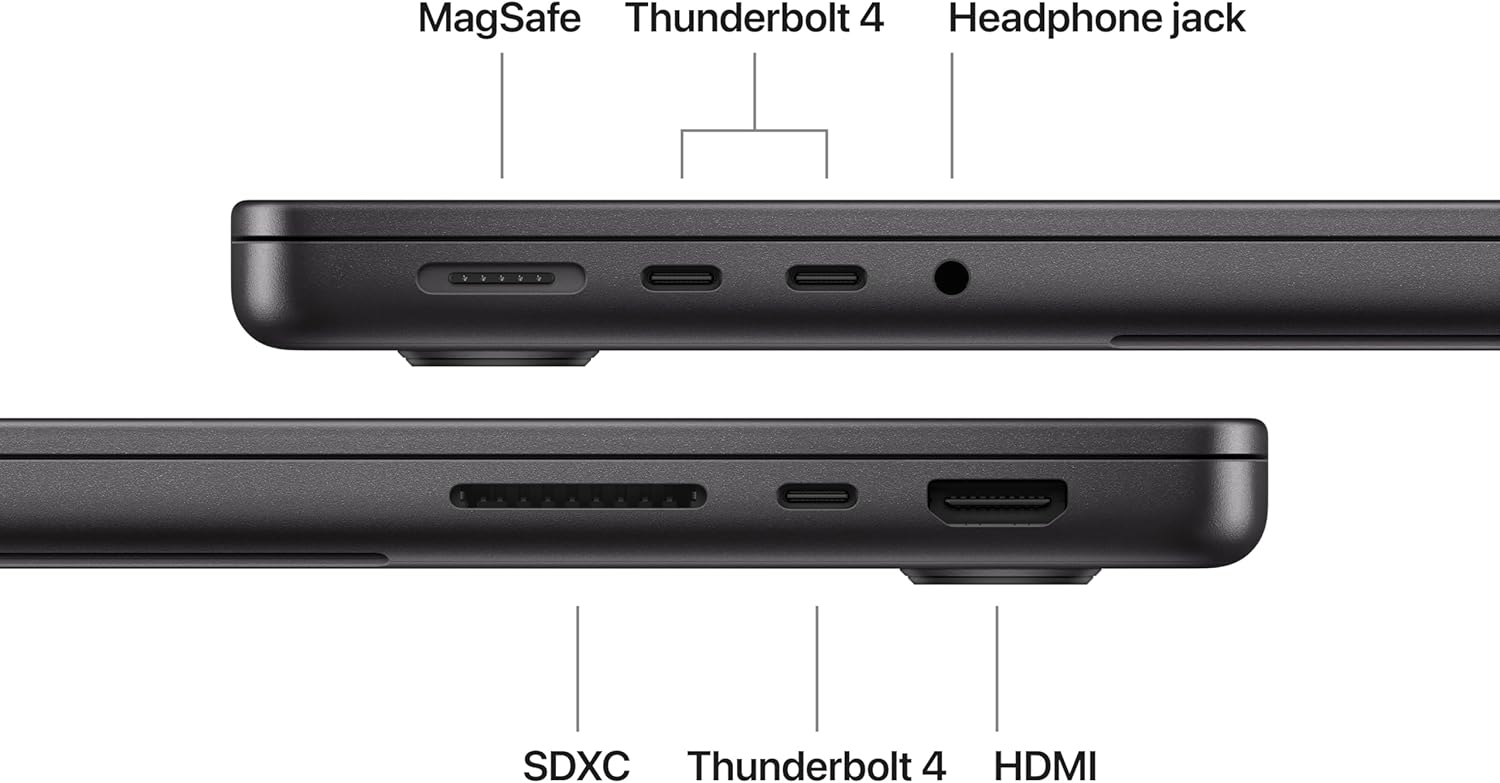
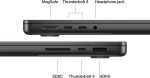
Full Pro Port Array — 3× Thunderbolt 4, HDMI 2.1, SD Card Slot, MagSafe 3 This is the biggest practical difference between MacBook Pro and MacBook Air. You get three Thunderbolt 4 ports (up to 40Gb/s each), a full-size HDMI 2.1 port, an SDXC card slot, MagSafe 3 charging, and a 3.5mm headphone jack with high-impedance headphone support. For photographers, this means copying cards directly without a dongle. For video editors, it means connecting to an external 4K monitor via HDMI while still having two Thunderbolt ports free for drives and accessories. No hub required for a professional desk setup. |
|
🌡️
Active Cooling Fan System — Sustained Peak Performance Under Any Load MacBook Air is fanless — which is wonderful for silence, but means it manages heat by throttling the chip under sustained heavy loads. MacBook Pro has an active fan cooling system that lets the M5 run at full speed for as long as your work demands. Rendering a 90-minute 4K film in Final Cut Pro, running a large language model locally for hours, compiling a massive codebase — the Pro handles all of it without pulling back. If your work regularly demands sustained peak performance, the fan is not a disadvantage — it is the very reason to choose Pro over Air. |
🔊
Six-Speaker Spatial Audio + Studio-Quality Three-Mic Array The six-speaker sound system in the MacBook Pro produces genuinely impressive audio for a laptop — wide stereo separation, proper low-end response, and convincing Spatial Audio with Dolby Atmos support. The three studio-quality microphones with Voice Isolation beamforming are exceptional for recording voiceovers, conducting client calls, or dictating documents. Combined with the 12MP Center Stage camera and Desk View, the MacBook Pro is a complete remote work and content creation studio you carry in one bag. |
|
💾
Faster SSD + Up to 4TB Storage — New Max Config Not Available on M4 The M5 MacBook Pro ships with a faster SSD than its predecessor — import speeds for RAW photo files, export speeds for large video projects, and boot times are all noticeably quicker. The base starts at 512GB, configurable up to 4TB — a new maximum that the M4 Pro model could not offer. For photographers or videographers who work with large raw files and do not want to rely on external drives during a shoot or edit, the 2TB and 4TB options are genuinely useful. |
🤖
Apple Intelligence + macOS Tahoe — On-Device AI for Professional Workflows The M5 MacBook Pro is built for the era of on-device AI. You can run large language models locally using platforms like webAI, generate images with diffusion model apps, and use Apple Intelligence's Writing Tools and Image Clean Up across all your work. macOS Tahoe's new Liquid Glass design, enhanced Spotlight, and iPhone Mirroring all make the Mac smarter and easier to use. Everything runs on-device — your data stays private, nothing is sent to a cloud you do not control. |
⚡ M5 MacBook Pro — Performance Numbers
|
3.5×
Faster AI vs M4
|
1.6×
Faster GPU vs M4
|
86×
Faster AI vs Intel
|
24hr
Battery life
|
1600
Nits peak display
|
📋 Full Technical Specifications — 14-inch MacBook Pro M5 (2025)
| ⚡ Chip & Performance | |
| Chip | Apple M5 |
| CPU | 10-core (4 performance + 6 efficiency cores) |
| GPU | 10-core GPU · Neural Accelerator per core · 3rd-gen hardware ray tracing · up to 1.6× faster than M4 |
| Neural Engine | 16-core Neural Engine · up to 3.5× faster AI vs M4 |
| Unified Memory | 16GB standard · configurable to 24GB or 32GB |
| Memory Bandwidth | 120 GB/s |
| Media Engine | H.264, HEVC, ProRes, ProRes RAW hardware encode/decode · AV1 decode |
| Cooling | Active cooling with fan — sustained peak performance under all workloads |
| 💾 Storage | |
| Storage Options | 512GB · 1TB · 2TB · 4TB SSD Faster than M4 gen |
| 🖥️ Display | |
| Display Type | Liquid Retina XDR · 14.2-inch · Mini-LED backlit IPS · ProMotion 120Hz adaptive · True Tone · nano-texture glass option |
| Resolution | 3024 × 1964 at 254 ppi |
| Brightness | 1000 nits sustained · 1600 nits peak (HDR) · 1000 nits SDR 2× brighter than MacBook Air |
| Contrast | 1,000,000:1 contrast ratio |
| Colour | P3 wide colour · True Tone · 1 billion colours · anti-reflective coating |
| Refresh Rate | ProMotion adaptive 24–120Hz |
| External Displays | Up to 2 external displays + built-in display simultaneously · up to 6K via Thunderbolt 4 |
| 📷 Camera & Audio | |
| Camera | 12MP Center Stage · Desk View · 1080p video |
| Speakers | 6-speaker Spatial Audio · Dolby Atmos · force-cancelling woofers |
| Microphones | Studio-quality 3-mic array · Voice Isolation · Wide Spectrum · directional beamforming |
| 📶 Connectivity | |
| Wi-Fi | Wi-Fi 6E (802.11ax) Note: Wi-Fi 6E, not Wi-Fi 7 |
| Bluetooth | Bluetooth 5.3 |
| Ports | 3× Thunderbolt 4 USB-C (40Gb/s) · HDMI 2.1 · SDXC card slot · MagSafe 3 · 3.5mm headphone jack |
| ⌨️ Input | |
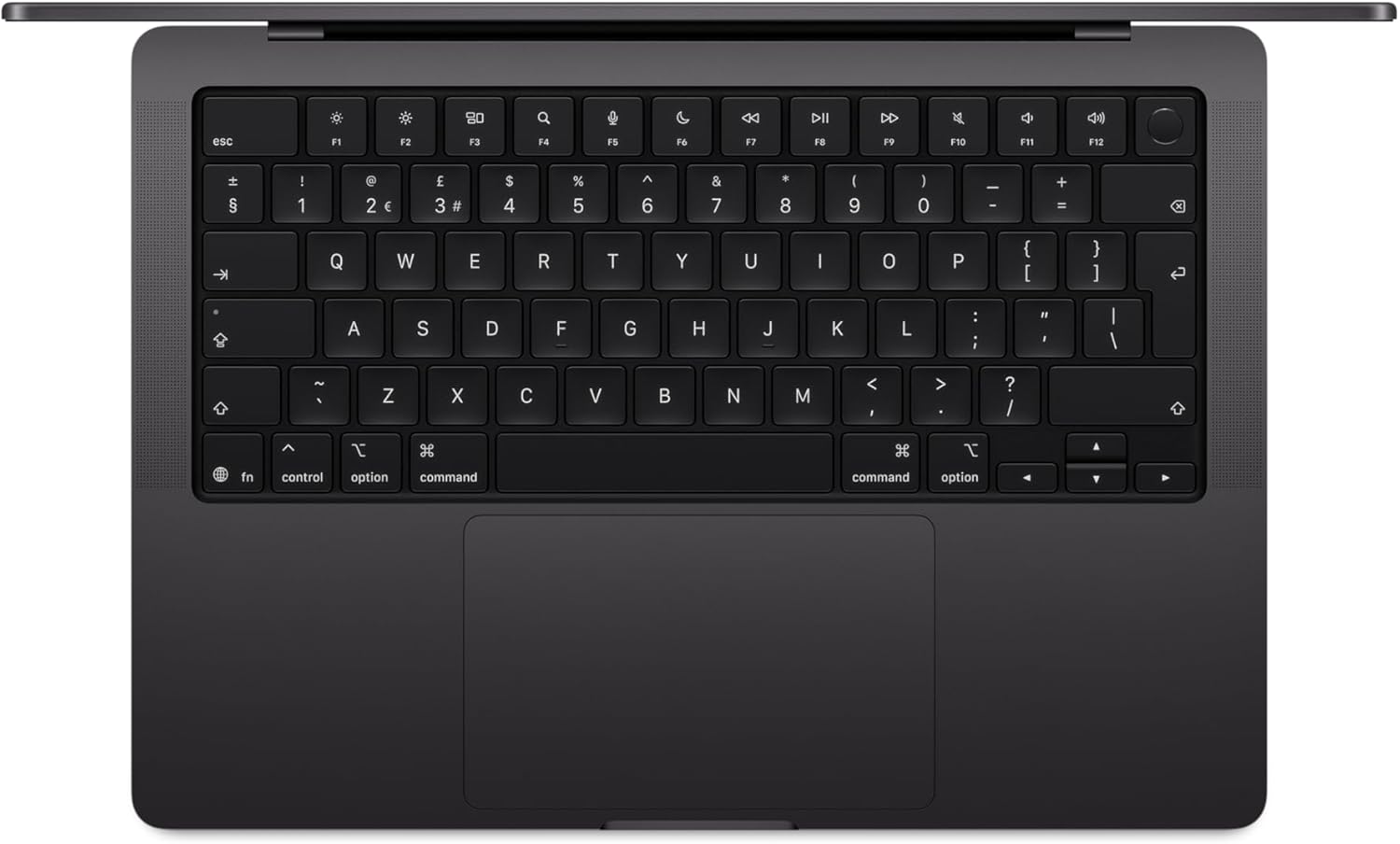
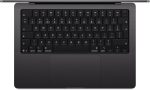
| Keyboard | Backlit Magic Keyboard · Touch ID · 12 full-height function keys · ambient light sensor |
| Trackpad | Force Touch trackpad · Multi-Touch gestures · pressure-sensitive drawing |
| 🔋 Battery | |
| Battery Capacity | 72.4Wh lithium-polymer |
| Battery Life | Up to 24 hrs video streaming · up to 22 hrs wireless web 4 hrs more than MacBook Air |
| Charging | MagSafe 3 · 70W USB-C Power Adapter included · fast-charge 0→50% in 30 min with 96W+ USB-C adapter |
| 📐 Physical | |
| Dimensions | 312.6 × 221.2 × 15.5 mm |
| Weight | 1.55 kg (3.4 lbs) |
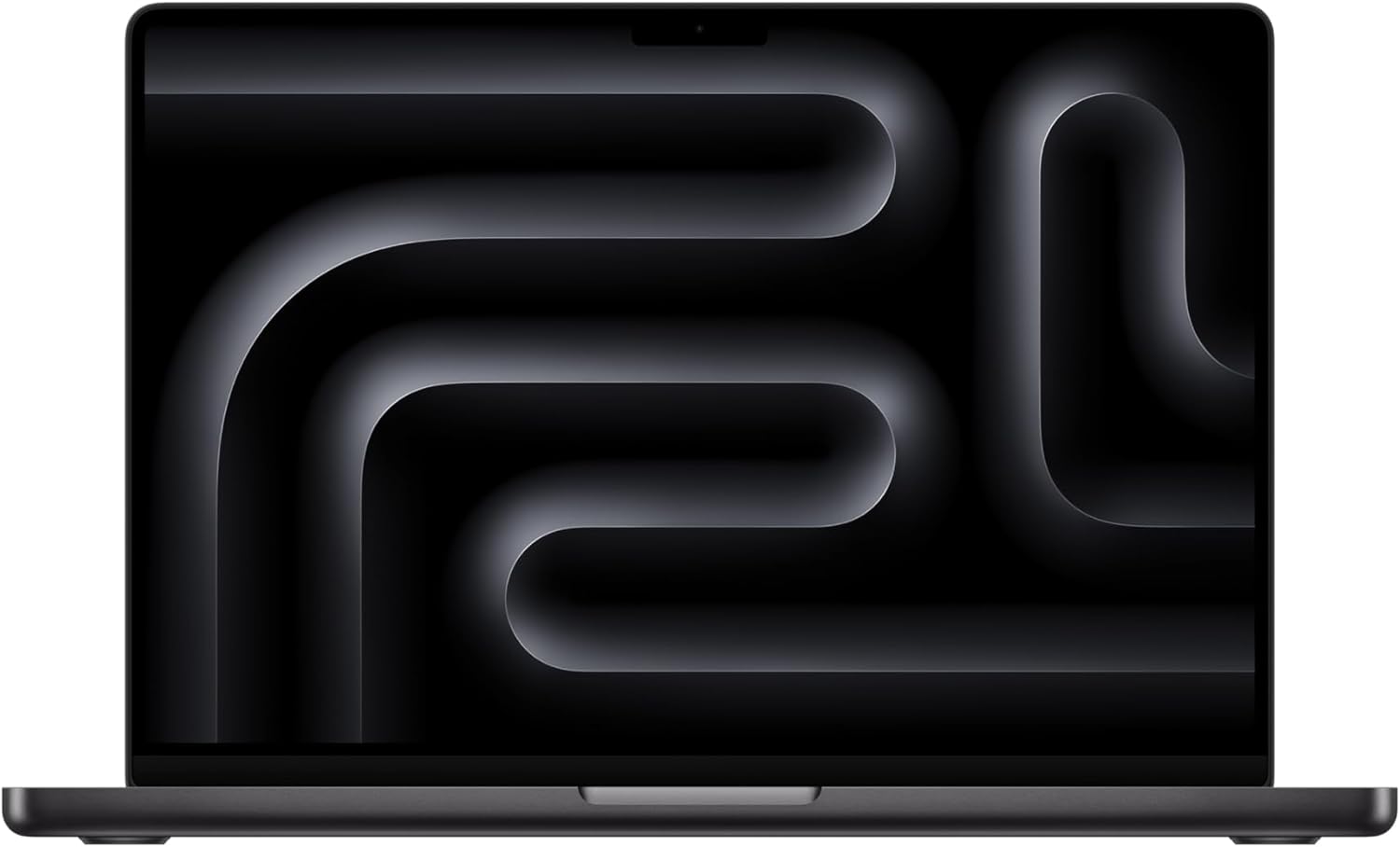
| Colours | Space Black · Silver |
| Recycled Content | 45% recycled content · 100% recycled aluminium enclosure · 100% recycled cobalt battery |
| OS | macOS Tahoe |
| SKU | MDE04ZP/A · Space Black · 10-core CPU · 10-core GPU · 16GB · 512GB |
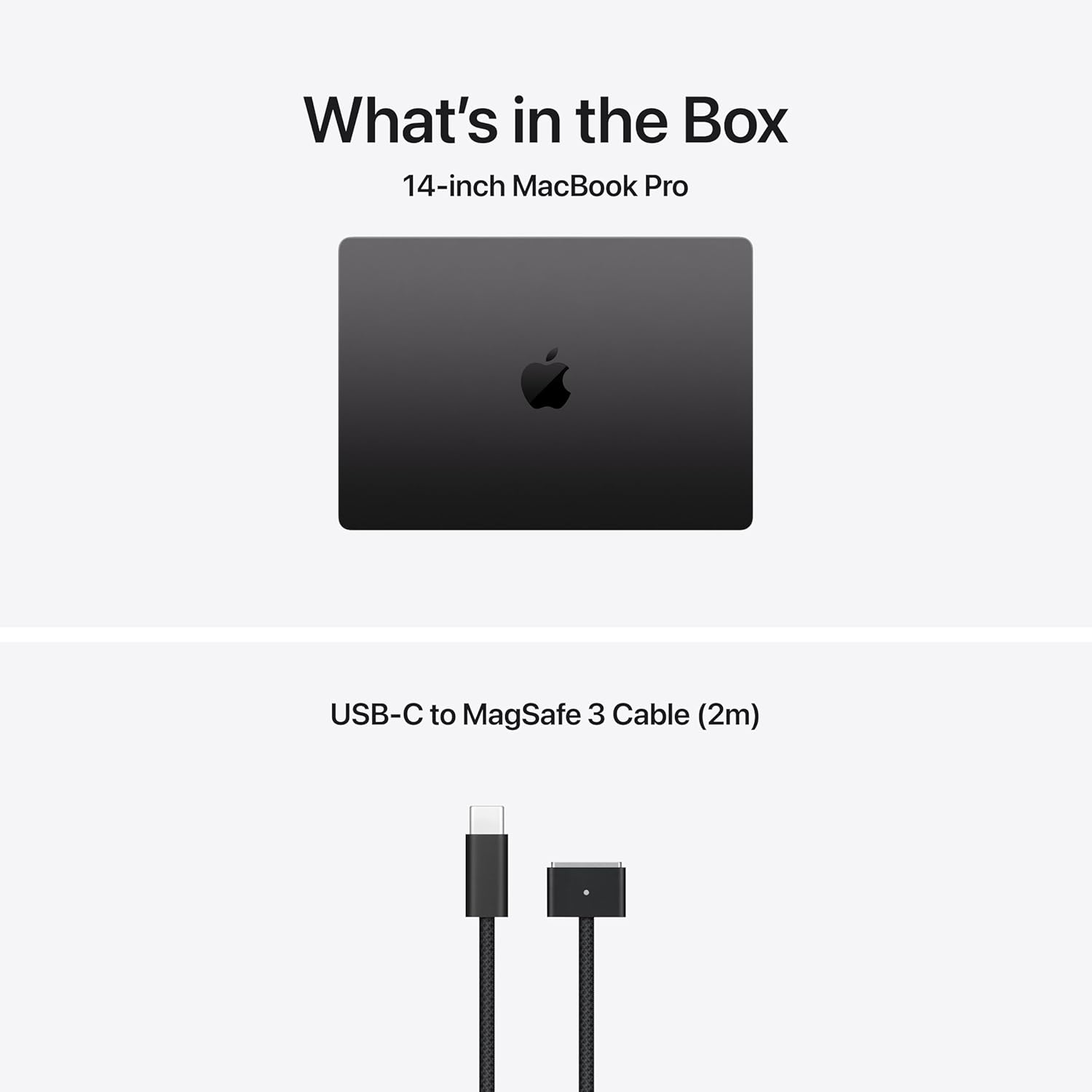
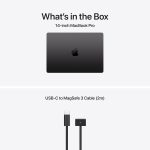
| In the Box | 14-inch MacBook Pro · USB-C to MagSafe 3 Cable (2m) · 70W USB-C Power Adapter |
⚖️ MacBook Pro M5 vs MacBook Air M5 — Which One Is Right for You?
Same M5 chip family, very different machines. Here is every meaningful difference.
| Feature | ⭐ MacBook Pro M5 14-inch This model — MDE04ZP/A |
MacBook Air M5 13 or 15-inch Also available at Gadget BD |
|---|---|---|
| Display | Liquid Retina XDR · 1600 nits peak · ProMotion 120Hz | Liquid Retina · 500 nits · 60Hz |
| Peak Brightness | 1600 nits (HDR) 🔆 | 500 nits |
| Cooling | Active fan — sustained peak forever 🌡️ | Fanless — silent but throttles under sustained load |
| Thunderbolt Ports | 3× Thunderbolt 4 🔌 | 2× Thunderbolt 4 |
| HDMI Port | HDMI 2.1 built-in 📺 | None — needs adaptor |
| SD Card Slot | SDXC built-in 💾 | None — needs adaptor |
| Battery Life | Up to 24 hours 🔋 | Up to 18 hours |
| Wi-Fi | Wi-Fi 6E | Wi-Fi 7 (Air is newer here) |
| Noise Level | Fan audible under heavy load | Completely silent always |
| Weight | 1.55 kg | 1.24 kg (13-inch) · 1.51 kg (15-inch) |
| US Starting Price | $1,599 | $1,099 (13") · $1,299 (15") |
| Best For | 🏆 Creators, developers, photographers, power users who need sustained performance & pro ports | Students, everyday users, portability-first buyers, budget-conscious shoppers |
🎯 Is the MacBook Pro M5 the Right Machine for You?
|
✅ Get the MacBook Pro M5 If... ✓ You regularly render long 4K or higher videos in Final Cut Pro, DaVinci Resolve, or Premiere Pro ✓ You are a photographer who shoots RAW and needs to import directly from an SD card ✓ Your desk setup uses an HDMI monitor and you do not want to use a hub or adaptor ✓ You run virtual machines, Docker containers, or heavy compilation tasks for hours at a time ✓ You want colour-accurate work on the best display Apple makes for laptops ✓ You need three separate Thunderbolt ports connected simultaneously at your workstation ✓ You are doing local AI model inference or machine learning and want maximum sustained GPU throughput |
🤔 Consider MacBook Air M5 Instead If... → You want total silence at all times — the Pro's fan is audible under load → Your workloads are short bursts, not sustained — Air handles brief renders and edits very well → Budget matters — the MacBook Air M5 13-inch is $500 less at the same storage tier → You are a student, writer, or business professional who does not push sustained heavy workloads → You want Wi-Fi 7 — interestingly, MacBook Air M5 has Wi-Fi 7 while MacBook Pro M5 has Wi-Fi 6E → Weight and portability are your top priority — Air at 1.24kg vs Pro at 1.55kg Not sure? Call +8801714039409 — we'll give you a straight answer in 2 minutes. |
📊 Mac Price List in Bangladesh 2025/2026
Current Mac prices at Gadget BD — call for the latest confirmed figures.
| Mac Model | Chip | RAM / Storage | Link |
|---|---|---|---|
| MacBook Pro 14" M5 YOU ARE HERE | M5 | 16–32GB / 512GB–4TB | View → |
| MacBook Air 13" M5 | M5 | 16–32GB / 512GB–4TB | View → |
| MacBook Air 15" M5 | M5 | 16–32GB / 512GB–4TB | View → |
| MacBook Neo 13" | A18 Pro | 8GB / 256GB–512GB | View → |
| Mac mini M5 | M5 / M5 Pro | 16GB+ / 256GB+ | View → |
| Mac Studio M4 Max | M4 Max / M4 Ultra | 36GB+ / 512GB+ | View → |
Prices updated regularly. Call +8801714039409 for the latest MacBook Pro M5 price in Bangladesh. Browse all Macs at Gadget BD →
TRUSTED SINCE 2013
🇧🇩 Why Buy from Gadget BD?
Bangladesh's most trusted Apple retailer — two showroom floors at Bashundhara City, Dhaka. Over a decade of helping customers across the country get the right Mac for their work.
|
✅
100% Genuine Products Every MacBook Pro sourced from authorized supply chains. Original box, seal, and full Apple warranty. |
🚚
Nationwide Insured Delivery Dhaka 1–2 days · Outside Dhaka 3–5 days. High-value orders are fully insured in transit. |
🏪
Visit Our Showroom Shop #84, Block: C, Level: 05, Bashundhara City Dhaka. See the Liquid Retina XDR display in person. |
|
💬
Honest Expert Advice Pro vs Air? 16GB vs 24GB? M5 vs M5 Pro? We give you a straight answer with no pressure to spend more. |
💳
Flexible Payment bKash · Nagad · Credit & Debit Cards · EMI via bank credit cards · Cash on Delivery. |
🌿
Carbon-Neutral Shipping We offset the carbon footprint of every delivery. Every purchase, guilt-free. |
❓ Frequently Asked Questions — MacBook Pro M5 Bangladesh
Honest answers to the questions we hear most often from customers in Bangladesh.
Q1. What is the MacBook Pro M5 14-inch price in Bangladesh?
The 14-inch MacBook Pro M5 starts at $1,599 in the US for the base 16GB / 512GB configuration. In Bangladesh, the price is higher because of import duties and VAT. For the exact, current price, call Gadget BD at +8801714039409 or visit our showroom at Bashundhara City, Dhaka. We always have the latest prices and can advise on the best configuration for your budget and workflow.
Q2. MacBook Pro M5 vs MacBook Air M5 — which one should I buy?
The honest answer depends entirely on what you do. If your work involves sustained heavy tasks — long video renders, compiling large codebases, running ML models for hours — the Pro's active cooling is the decisive advantage because it never throttles. If you also need HDMI or an SD card slot without carrying a hub, the Pro is the clear choice. If your workloads are shorter bursts, you work in quiet environments, or budget is tight, the MacBook Air M5 delivers very similar performance for everyday tasks at a meaningfully lower price. One genuinely honest note: the Air has Wi-Fi 7 and Bluetooth 6, while the base Pro M5 has the older Wi-Fi 6E and BT 5.3 — something most reviews gloss over.
Q3. Is the MacBook Pro M5 good for video editing and photography?
It is genuinely excellent for both. For video editing, the M5 chip handles 4K timelines in Final Cut Pro smoothly, the active cooling means you can export for hours without the chip pulling back, and the Liquid Retina XDR display with 1600 nits peak brightness and 1,000,000:1 contrast is colour-accurate for grading. For photography, the built-in SD card slot means you can import directly from your camera card without any adaptor, and Lightroom Classic, Capture One, and Affinity Photo all run exceptionally well. If you work with large RAW files regularly, the 24GB or 32GB memory configuration is worth considering.
Q4. What is the difference between MacBook Pro M5, M5 Pro, and M5 Max?
The MDE04ZP/A (this product) uses the standard M5 chip — 10-core CPU, 10-core GPU, up to 32GB RAM, starting at $1,599. The M5 Pro has significantly more CPU and GPU cores (11 or 14-core CPU, 14 or 20-core GPU), higher memory bandwidth, and supports up to 64GB RAM — for professionals with the most demanding workloads. The M5 Max goes even further with a 14 or 16-core CPU, up to 40-core GPU, and up to 128GB RAM — for extreme tasks like compositing, 3D rendering, or post-production at the highest levels. The standard M5 is the right choice for most professional users; M5 Pro and Max are for specialists whose work genuinely saturates the standard chip.
Q5. Does the MacBook Pro M5 have Wi-Fi 7?
Interestingly, no — the base MacBook Pro M5 with the standard M5 chip ships with Wi-Fi 6E (802.11ax) and Bluetooth 5.3, not Wi-Fi 7. The MacBook Air M5, by contrast, uses Apple's N1 chip and supports Wi-Fi 7 and Bluetooth 6. This is one of the few specs where the MacBook Air M5 is actually ahead of the base MacBook Pro M5. In everyday use, Wi-Fi 6E is very fast and the difference is unlikely to be noticeable for most tasks — but it is worth knowing. MacBook Pro M5 Pro and M5 Max may differ; call us at +8801714039409 for the latest confirmed specs.
Q6. How much RAM do I need — 16GB, 24GB, or 32GB?
16GB handles most professional tasks well — coding, web development, photo editing, and general video editing in 1080p or light 4K. 24GB is the sweet spot for serious 4K video editors, designers running multiple large apps, or developers compiling large projects regularly. 32GB is for the most demanding users: those running virtual machines alongside other heavy apps, working with large ProRes footage, or doing local machine learning inference. Because RAM is soldered and cannot be upgraded after purchase, it is better to choose one tier higher if you are on the boundary.
Q7. Can I use the MacBook Pro M5 with an external monitor?
Yes, very flexibly. You can connect up to two external displays simultaneously alongside the built-in screen. The HDMI 2.1 port supports monitors directly — plug a 4K monitor straight in without any adaptor. Each of the three Thunderbolt 4 ports also supports external displays via USB-C or with an appropriate adaptor. For a typical two-external-monitor desk setup, connect one via HDMI and one via Thunderbolt 4, leaving a Thunderbolt port free for other accessories. That is three screens total — the built-in 14.2-inch plus two externals — with no hubs required.
ম্যাকবুক প্রো M5 সম্পর্কে বাংলায় সবচেয়ে বেশি জিজ্ঞেস করা প্রশ্নের সহজ উত্তর
ম্যাকবুক প্রো M5 ১৪ ইঞ্চির দাম বাংলাদেশে কত?
Apple MacBook Pro M5 14-inch-এর বাংলাদেশের সর্বশেষ দাম জানতে Gadget BD-তে কল করুন +8801714039409। আমেরিকায় শুরুর দাম $1,599 (16GB RAM, 512GB SSD)। বাংলাদেশে আমদানি শুল্ক ও ভ্যাটের কারণে দাম আলাদা হয়। সঠিক ও আপডেটেড দামের জন্য Bashundhara City শোরুমে আসুন অথবা ফোন করুন।
ম্যাকবুক প্রো M5 নাকি ম্যাকবুক এয়ার M5 — কোনটা নেবো?
MacBook Pro M5 নিন যদি: ঘণ্টার পর ঘণ্টা 4K video rendering করেন, HDMI বা SD card slot ছাড়া কাজ করা অসুবিধাজনক, অথবা Liquid Retina XDR display-এর সর্বোচ্চ brightness ও color accuracy দরকার। MacBook Air M5 নিন যদি: সম্পূর্ণ silent device চান, দাম কম রাখতে চান, বা আপনার কাজ short bursts-এ হয় — long sustained render নয়। বিস্তারিত আলোচনার জন্য কল করুন +8801714039409।
ম্যাকবুক প্রো M5 কি ভিডিও এডিটিং ও ফটোগ্রাফির জন্য ভালো?
হ্যাঁ, অসাধারণ। M5 chip Final Cut Pro, DaVinci Resolve এবং Premiere Pro-তে 4K video editing smooth ভাবে করে। Active cooling system থাকায় দীর্ঘ সময় render করলেও chip slow হয় না। Built-in SD card slot মানে camera থেকে সরাসরি import করা যায় — কোনো adaptor লাগে না। Liquid Retina XDR display-এ 1600 nits brightness-এ color grading করা যায় professional মানের।
ঢাকায় ম্যাকবুক প্রো M5 কোথায় কিনবো?
ঢাকায় সেরা দামে ১০০% অরিজিনাল Apple MacBook Pro M5 পাওয়া যাচ্ছে Gadget BD-তে — Bashundhara City Shopping Mall, Shop #84 ও #115, Level 5 ও 6। সারাদেশে ডেলিভারি: ঢাকায় ১–২ দিন, ঢাকার বাইরে ৩–৫ দিনে। দাম জানতে বা অর্ডার করতে কল করুন +8801714039409।
ম্যাকবুক প্রো M5 কি EMI-তে কেনা যাবে?
হ্যাঁ। Gadget BD-তে বিভিন্ন ব্যাংকের credit card-এ সহজ EMI-তে Apple MacBook Pro M5 কেনার সুযোগ রয়েছে। এছাড়া bKash, Nagad, ডেবিট কার্ড এবং ক্যাশ অন ডেলিভারিতেও পেমেন্ট করা যায়। EMI-সহ ম্যাকবুক প্রো কিনতে Bashundhara City শোরুমে আসুন বা +8801714039409-এ কল করুন।