


iCloud vs Google Drive vs OneDrive — Apple User-দের জন্য কোন Cloud Storage ভালো?
iCloud vs Google Drive vs OneDrive নিয়ে Apple user-দের confusion খুব common. iPhone, iPad বা Mac ব্যবহার করলে iCloud naturally best মনে হয়, কারণ photos, contacts, notes, messages, device backup—সব Apple ecosystem-এর সাথে smooth sync হয়। কিন্তু Google Drive storage অনেকের জন্য practical, কারণ Gmail, Google Photos, Docs, Sheets এবং Android/Windows userদের সাথে file sharing easy. আবার OneDrive storage ভালো choice হতে পারে যদি আপনি Microsoft Word, Excel, PowerPoint, Outlook এবং Windows PC ব্যবহার করেন। এই mixed Bangla-English ecommerce guide-এ আমরা iCloud storage, Google Drive storage, OneDrive storage, iPhone cloud backup, iCloud Photos backup, Google Photos storage, OneDrive for iPhone, pricing, security, family sharing এবং best online storage Bangladesh perspective থেকে clear decision দেব।
iCloud vs Google Drive vs OneDrive Quick Verdict
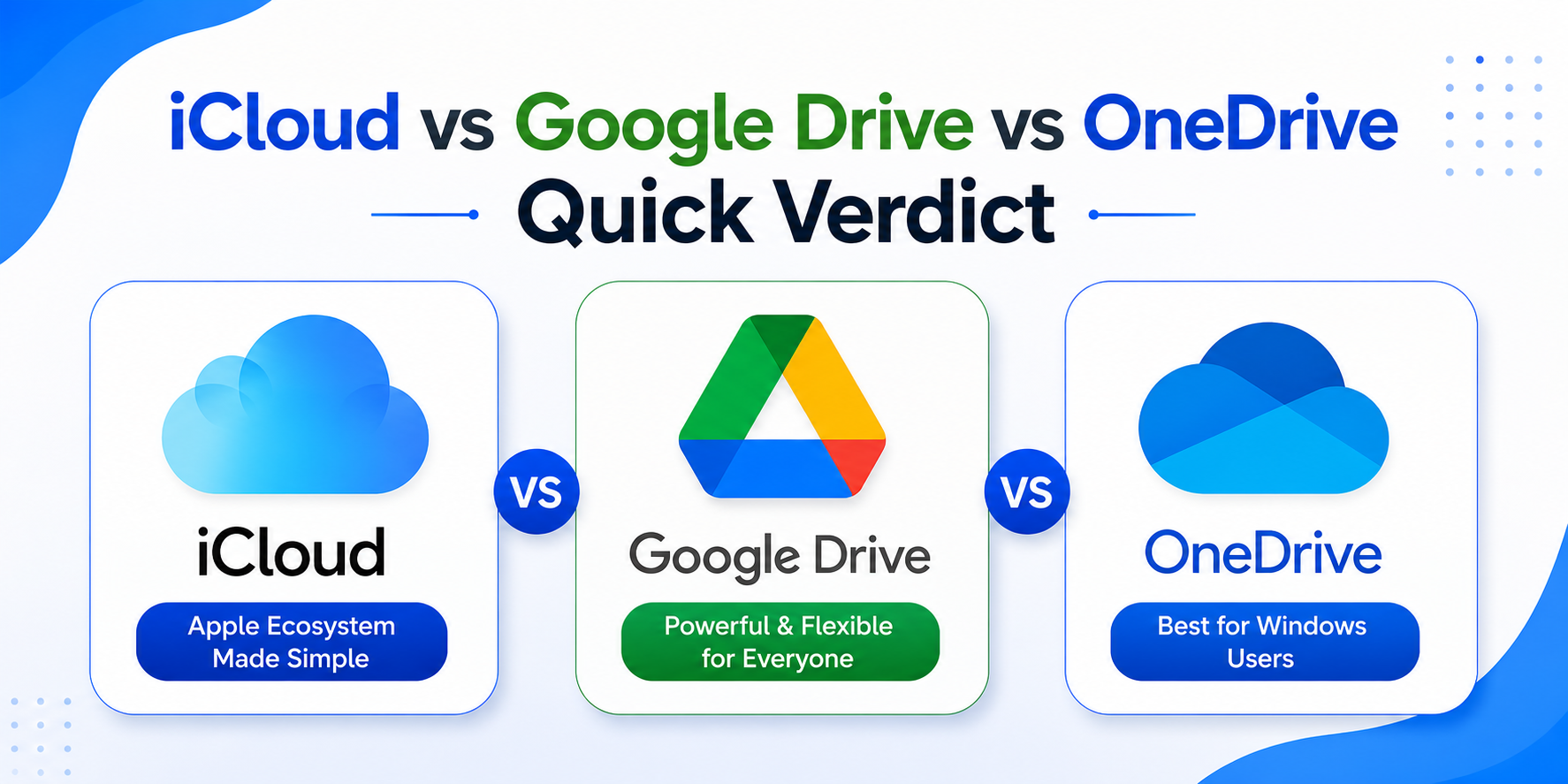
iCloud vs Google Drive vs OneDrive decision simpleভাবে বললে: Apple-only user হলে iCloud best. Google services বেশি use করলে Google Drive best. Microsoft Office, Windows PC বা business document workflow থাকলে OneDrive best.
iCloud হলো best cloud storage for Apple users যারা iPhone, iPad, MacBook, Apple Watch এবং Apple Photos ব্যবহার করেন।
Google Drive হলো best option যারা Gmail, Google Photos, Google Docs, Google Sheets, YouTube, Android friends বা cross-platform sharing করেন।
OneDrive হলো best option যারা Word, Excel, PowerPoint, Outlook, Windows laptop বা office file storage বেশি use করেন।
Final quick answer: iPhone backup and Apple ecosystem = iCloud. Photos + Gmail + sharing = Google Drive. Office documents + Windows workflow = OneDrive.
iCloud vs Google Drive vs OneDrive Main Comparison Table
| Factor | iCloud | Google Drive | OneDrive |
|---|---|---|---|
| Free Storage | 5GB | 15GB | 5GB |
| Best For | Apple device backup | Gmail, Photos, Docs, sharing | Office, Windows, documents |
| iPhone Backup | Best native option | Not full iPhone backup | Not full iPhone backup |
| Photo Backup | iCloud Photos backup | Google Photos storage | OneDrive camera upload |
| File Sharing | Good for Apple users | Very easy and universal | Strong for Office users |
| Family Sharing | iCloud+ Family Sharing | Google One family sharing | Microsoft 365 Family |
| Apple Integration | Excellent | Good | Good |
| Windows Integration | Okay with iCloud app | Good in browser/app | Excellent |
| Office Documents | Basic | Google Docs/Sheets | Best with Word/Excel |
| Best Choice | Apple ecosystem users | Mixed device users | Office and Windows users |
এই cloud storage comparison থেকে দেখা যায়, iCloud Apple userদের জন্য most natural, Google Drive sharing-এর জন্য flexible, আর OneDrive office productivity-এর জন্য strong.
iCloud Storage: Apple User-দের জন্য কেন Best?
iCloud storage Apple user-দের জন্য সবচেয়ে smooth, কারণ এটি iPhone, iPad, Mac, Apple Photos, Notes, Contacts, Safari, Messages, Keychain এবং device backup-এর সাথে deeply connected.
আপনি যদি iPhone change করেন, reset করেন বা new iPhone কিনেন, iCloud Backup আপনার data restore করতে help করে। iCloud Photos backup চালু থাকলে photos এবং videos iCloud-এ sync হয়, তাই device storage কমলেও memories safe থাকে।
iCloud+ plan নিলে storage ছাড়াও Hide My Email, iCloud Private Relay, Custom Email Domain, HomeKit Secure Video support এবং Family Sharing-এর মতো extra privacy features পাওয়া যায়।
Best for: iPhone cloud backup, iCloud Photos backup, Apple ecosystem, iPhone storage management, family Apple devices.
Google Drive Storage: iPhone User-দের জন্য Practical কেন?
Google Drive storage iPhone userদের জন্য খুব practical, especially যদি আপনি Gmail, Google Photos, Google Docs, Google Sheets, Google Meet বা Google Classroom use করেন।
Google account-এ free 15GB storage পাওয়া যায়, যা Gmail, Google Drive এবং Google Photos-এর মধ্যে shared থাকে। তাই আপনি যদি Gmail attachment, Drive file, Google Photos backup—সব একসাথে use করেন, storage দ্রুত full হতে পারে।
Google Photos storage iPhone userদের জন্য popular, কারণ photo search, face grouping, album sharing, link sharing এবং cross-device access very convenient. Android friend, Windows user বা office team-এর সাথে file share করতে Google Drive অনেক easy.
Best for: Gmail users, photo backup app, file sharing, student files, Google Docs, mixed Android-iPhone family.
OneDrive Storage: Apple User-দের জন্য কখন Better?
OneDrive storage Apple userদের জন্য best তখন, যখন আপনার daily workflow Microsoft Office-based. আপনি যদি Word, Excel, PowerPoint, Outlook, Teams বা Windows PC use করেন, OneDrive খুব useful.
OneDrive for iPhone app দিয়ে photos backup, document scan, file upload, folder sharing এবং offline file access করা যায়। Mac userরাও OneDrive sync app দিয়ে files access করতে পারেন।
Microsoft 365 subscription নিলে OneDrive storage-এর সাথে Word, Excel, PowerPoint এবং Outlook apps-এর value পাওয়া যায়। তাই students, office users, freelancers, accountants, business owners এবং corporate usersদের জন্য OneDrive practical choice.
Best for: Office document storage, Windows laptop, Word/Excel files, business sharing, Microsoft 365 users.
iPhone Cloud Backup: কোন Cloud Storage Real Backup দেয়?
iPhone full backup-এর জন্য iCloud storage সবচেয়ে native এবং reliable option. iCloud Backup device settings, app data, messages, home screen layout এবং অনেক essential data backup করতে পারে।
Google Drive বা OneDrive iPhone-এর full system backup দেয় না। এগুলো mainly photos, videos, files, documents, contacts বা app-based data sync করতে পারে। তাই iPhone cloud backup-এর জন্য iCloud best.
আপনি যদি iPhone user হন, minimum 50GB iCloud+ plan অনেকের জন্য enough হতে পারে. কিন্তু photos/videos বেশি থাকলে 200GB বা 2TB plan consider করা better.
Verdict: iPhone full backup চাইলে iCloud. File sharing বা photo library extra backup চাইলে Google Drive/OneDrive add করুন।
iCloud Photos Backup vs Google Photos Storage
iCloud Photos backup Apple Photos app-এর সাথে perfect sync করে। আপনি iPhone-এ photo তুললে iPad, Mac এবং iCloud.com-এ photos দেখা যায়। “Optimize iPhone Storage” option use করলে original photos iCloud-এ থাকে এবং phone storage save হয়।
Google Photos storage AI search, album sharing, face grouping, location search এবং cross-platform access-এর জন্য popular. আপনি iPhone থেকে Google Photos app দিয়ে photos backup করলে Android, Windows, web browser—সব জায়গা থেকে access করতে পারবেন।
iCloud Photos বেশি natural for Apple ecosystem. Google Photos বেশি flexible for mixed device users.
Verdict: Apple-only photo library = iCloud Photos. Sharing and smart search = Google Photos.
Price and Storage: iCloud Price in Bangladesh vs Google Drive Price in Bangladesh vs OneDrive Price in Bangladesh
iCloud Price in Bangladesh
iCloud price in Bangladesh Apple Account region এবং payment method অনুযায়ী depend করতে পারে। Apple iCloud+ official plans globally 50GB, 200GB, 2TB, 6TB এবং 12TB storage tiers offer করে। তাই exact price check করতে iPhone Settings > Apple Account > iCloud > Manage Storage > Change Storage Plan দেখুন।
Google Drive Price in Bangladesh
Google Drive price in Bangladesh Google One account region অনুযায়ী show হয়। Google One plan normally 100GB থেকে শুরু হয়, এবং Google Photos, Drive ও Gmail storage একসাথে cover করে। Exact BDT price check করতে Google One app বা official Google One plans page দেখুন।
OneDrive Price in Bangladesh
OneDrive price in Bangladesh Microsoft 365 plan এবং region অনুযায়ী depend করে। Free OneDrive 5GB storage দেয়। Microsoft 365 Basic plan 100GB cloud storage দেয়, আর Microsoft 365 Personal সাধারণত 1TB storage দেয়। Exact local price Microsoft account বা Microsoft 365 pricing page থেকে check করা best.
Verdict: Small iPhone backup হলে iCloud 50GB. Google ecosystem হলে Google One 100GB/200GB. Office work হলে Microsoft 365 Personal with 1TB storage.
Free Storage Comparison: 5GB vs 15GB vs 5GB
Free storage-এর দিক থেকে Google Drive এগিয়ে, কারণ Google account 15GB free storage দেয়। iCloud 5GB free, OneDrive 5GB free.
কিন্তু free storage দিয়ে serious backup করা কঠিন. iPhone photos, 4K video, WhatsApp media, documents, email attachment—সব মিলিয়ে storage দ্রুত full হয়ে যায়।
Simple rule:
iPhone-only backup = iCloud paid plan লাগতে পারে.
Gmail-heavy user = Google One plan লাগতে পারে.
Office documents = OneDrive/Microsoft 365 plan helpful.
Security and Privacy: কোনটা Safe?
তিনটি platform-ই secure cloud storage provide করে, তবে approach আলাদা।
iCloud Apple ecosystem-এর privacy features-এর সাথে strong. iCloud+ এ Hide My Email এবং iCloud Private Relay-এর মতো privacy tools আছে।
Google Drive Google account security, two-step verification, account recovery এবং Google ecosystem-এর সাথে কাজ করে। File sharing easy হলেও permission settings carefully manage করতে হয়।
OneDrive Microsoft account security, Personal Vault, ransomware protection এবং Microsoft 365 security features-এর সাথে strong. Business file, office document এবং Windows workflow-এর জন্য এটি খুব practical.
Verdict: Privacy-focused Apple user = iCloud. Collaboration-focused user = Google Drive. Office/security-focused user = OneDrive.
File Sharing and Collaboration
Google Drive file sharing সবচেয়ে easy feel করে অনেক user-এর কাছে। Link share, view/comment/edit permission, Google Docs collaboration, Google Sheets এবং Google Forms—সবকিছু very smooth.
OneDrive collaboration strong, especially Word, Excel এবং PowerPoint files-এর জন্য। Office document real-time edit করতে চাইলে OneDrive excellent.
iCloud file sharing good, কিন্তু non-Apple users-এর সাথে সবসময় Google Drive বা OneDrive-এর মতো familiar নাও লাগতে পারে।
Verdict: General sharing = Google Drive. Office collaboration = OneDrive. Apple family sharing = iCloud.
Apple Ecosystem: iCloud-এর Biggest Advantage
Apple ecosystem use করলে iCloud-এর benefit সবচেয়ে বেশি। iPhone, iPad, MacBook, Apple Watch—সব device একই Apple Account দিয়ে connected থাকে। Photos, Notes, Contacts, Safari tabs, Messages, Passwords, Files—সব sync হয়।
আপনি যদি new iPhone কিনেন, iCloud backup restore করলে setup খুব easy হয়। Apple userদের জন্য best cloud storage for iPhone সাধারণত iCloud, কারণ এটি system-level integration দেয়।
তবে iCloud-এর limitation হলো: non-Apple users-এর সাথে collaboration বা large file sharing-এর ক্ষেত্রে Google Drive বা OneDrive sometimes easier.
Google Ecosystem: Google Drive-এর Biggest Advantage
Google Drive-এর main advantage হলো universal access. iPhone, Android, Windows, Mac, Chromebook, web browser—সব জায়গায় Google Drive easy.
Students, teachers, freelancers, content creators, office teams, ecommerce sellers—সবাই Google Drive use করতে পারে। Google Docs, Sheets, Slides, Forms এবং Gmail integration Bangladesh market-এ খুব common.
Best online storage Bangladesh হিসেবে Google Drive strong, কারণ sharing easy, free storage বেশি, app availability ভালো এবং mixed device family/team-এর জন্য practical.
Microsoft Ecosystem: OneDrive-এর Biggest Advantage
OneDrive-এর main advantage হলো Microsoft Office. Word, Excel, PowerPoint, Outlook, Teams—যদি আপনার daily workflow-এর part হয়, OneDrive best.
MacBook user হলেও Microsoft 365 app install করে OneDrive sync করা যায়। iPhone user হলেও OneDrive app দিয়ে files access, scan, upload এবং share করা যায়।
Business document, invoice, report, academic assignment, spreadsheet, presentation—এসবের জন্য OneDrive very strong.
Best Cloud Storage for Apple Users: Use Case Based Guide
Choose iCloud If:
- iPhone cloud backup দরকার
- iCloud Photos backup চান
- iPhone, iPad, Mac use করেন
- Apple ecosystem priority
- Hide My Email / Private Relay দরকার
- Family Apple users আছে
- New iPhone restore easy করতে চান
Choose Google Drive If:
- Gmail বেশি use করেন
- Google Photos storage দরকার
- Android/Windows users-এর সাথে file share করেন
- Google Docs/Sheets use করেন
- Best online storage Bangladesh চান
- Students বা teachers-এর সাথে collaborate করেন
- Free 15GB storage useful মনে হয়
Choose OneDrive If:
- Microsoft Word/Excel use করেন
- Windows PC আছে
- Office document storage দরকার
- Outlook/Teams use করেন
- Business files manage করেন
- 1TB storage with Microsoft 365 চান
- OneDrive for iPhone and Mac use করতে চান
Best Combination for Apple Users
অনেক Apple user-এর জন্য একটাই cloud storage enough না। Best practical setup হতে পারে:
iCloud: iPhone backup, Photos, Contacts, Notes, Passwords
Google Drive: Shared files, Google Docs, Google Photos backup, Gmail attachments
OneDrive: Office documents, Word, Excel, PowerPoint, business files
এই combination use করলে আপনি iPhone backup safe রাখবেন, photos easily share করবেন, আর work documents properly manage করবেন।
Ecommerce Buying Tips for Apple Cloud Users
Cloud storage choose করার পাশাপাশি কিছু accessories আপনার Apple workflow better করতে পারে:
- External SSD for Mac backup
- USB-C flash drive for iPhone/iPad file transfer
- iPhone fast charger
- MagSafe charger
- Power bank for travel
- iPhone case with MagSafe support
- Screen protector
- AirPods for Apple ecosystem
- MacBook USB-C hub
Cloud storage important, কিন্তু offline backup-ও জরুরি। Important photo, business file বা client work শুধু এক cloud-এ না রেখে external SSD বা second backup রাখুন।
FAQ: iCloud vs Google Drive vs OneDrive
iCloud vs Google Drive vs OneDrive কোনটা ভালো?
Apple-only user হলে iCloud ভালো। Google services, Gmail, Photos এবং easy sharing চাইলে Google Drive ভালো। Microsoft Office, Word, Excel এবং Windows workflow থাকলে OneDrive ভালো।
Apple user-দের জন্য best cloud storage কোনটা?
Most Apple user-এর জন্য iCloud best, কারণ iPhone cloud backup, iCloud Photos backup, contacts, notes, messages এবং Apple ecosystem sync nativeভাবে কাজ করে।
iPhone cloud backup করার জন্য iCloud দরকার?
হ্যাঁ, full iPhone cloud backup-এর জন্য iCloud সবচেয়ে natural option. Google Drive বা OneDrive full iPhone system backup দেয় না, তবে photos/files backup করতে পারে।
Google Drive কি iPhone user-দের জন্য ভালো?
হ্যাঁ, Google Drive iPhone userদের জন্য ভালো, especially যদি Gmail, Google Photos, Docs, Sheets বা Android/Windows users-এর সাথে sharing দরকার হয়।
OneDrive for iPhone ব্যবহার করা যায়?
হ্যাঁ, OneDrive for iPhone app দিয়ে photos upload, document scan, file share, offline file access এবং Microsoft Office documents manage করা যায়।
iCloud Photos backup কি Google Photos থেকে better?
Apple ecosystem-এর জন্য iCloud Photos backup better. Cross-platform access, smart search এবং easy sharing-এর জন্য Google Photos storage better হতে পারে।
Google Drive price in Bangladesh কীভাবে check করবো?
Google One app বা official Google One plans page থেকে Google Drive price in Bangladesh check করুন। Price account region, plan এবং payment method অনুযায়ী vary করতে পারে।
OneDrive price in Bangladesh কি Microsoft 365-এর সাথে আসে?
হ্যাঁ, OneDrive storage সাধারণত Microsoft 365 plans-এর সাথে আসে। Free plan 5GB, Basic plan 100GB, আর Personal plan সাধারণত 1TB storage দেয়।
Best online storage Bangladesh কোনটা?
General sharing এবং free storage-এর জন্য Google Drive strong. iPhone backup-এর জন্য iCloud best. Office documents-এর জন্য OneDrive better.
Cloud storage for photos কোনটা ভালো?
Apple Photos use করলে iCloud. Google Photos search, sharing এবং cross-device access চাইলে Google Photos. Microsoft ecosystem হলে OneDrive camera upload useful.